"Hello? ... Are you still there?"
You have probably said this to a bot at least once. You asked a question, and then nothing happened. Two seconds of silence. You were about to repeat yourself when it finally started talking, right as you started talking again. Now you are both speaking at once, and one of you is a computer.
Nothing was technically broken. The bot understood you. The answer was even correct. And yet the call felt wrong. So here is the question worth asking: if the answer was right, why did the conversation feel so bad?
The reason is that a voice agent is not judged only on what it says. It is judged on when it says it. Timing is part of the answer.
In this article we will look at what a voice agent actually is, what happens between the moment you stop talking and the moment you hear a reply, where the time goes, and why speed is a feature you design for from day one. Simple explanations, real examples, a little bit of code, and no dense research papers.
Before We Talk About Voice Agents
Try this with a friend: ask them a simple question, like “What did you have for lunch?” and ask them to wait 1.5 seconds before answering. Repeat it a few times, and the conversation will start to feel awkward.
That is because human conversations move fast. Research across 10 languages found that people usually respond within just 200–300 milliseconds (Stivers et al., 2009). We dont wait for someone to finish speaking before thinking about our reply. We listen, think, and prepare our response simultaneously.
A voice agent has to do the same thing, except it has a lot more work to handle.
What is a Voice Agent?
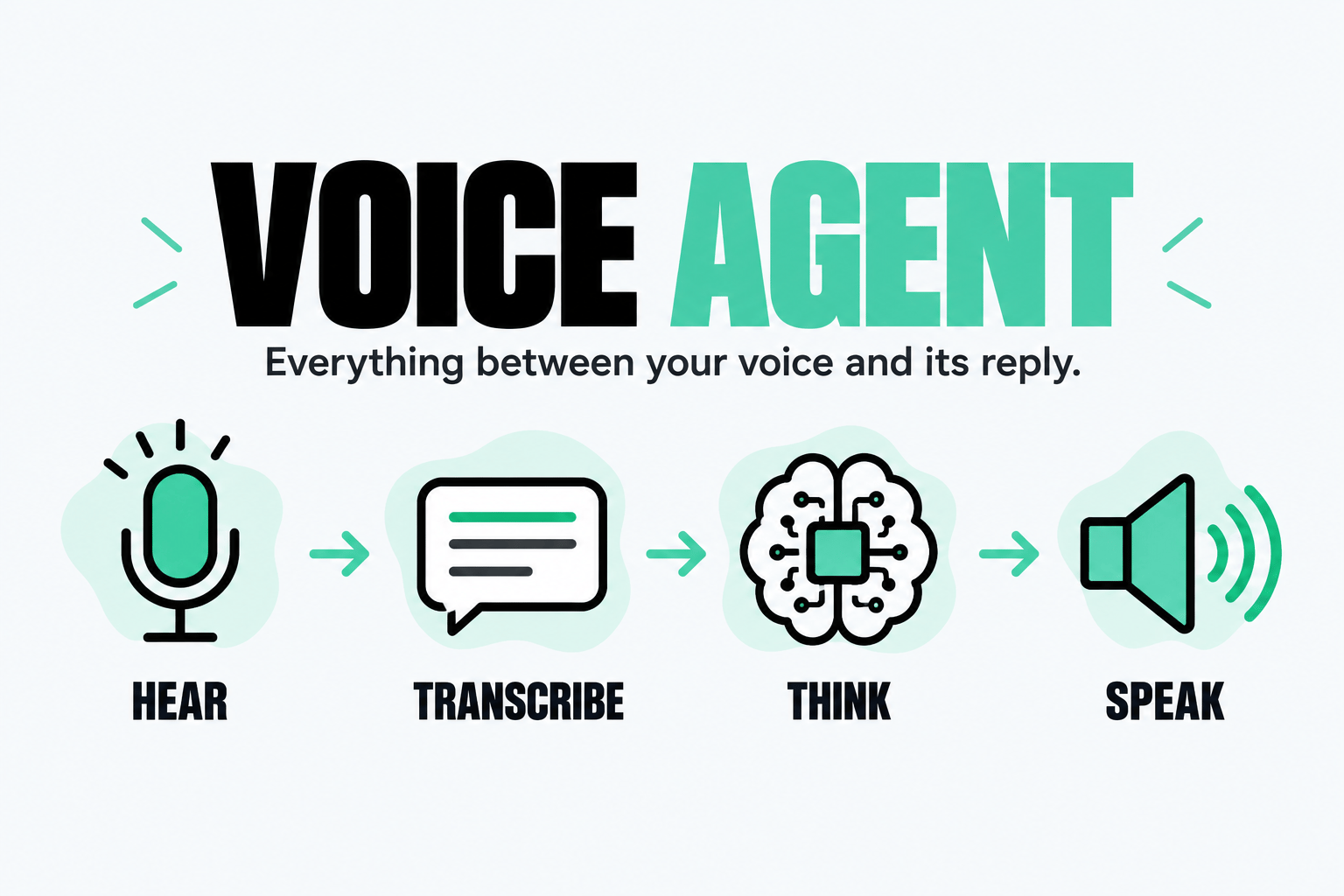
A voice agent is software you can talk to naturally. It listens, understands what you mean, decides how to respond, and speaks back.
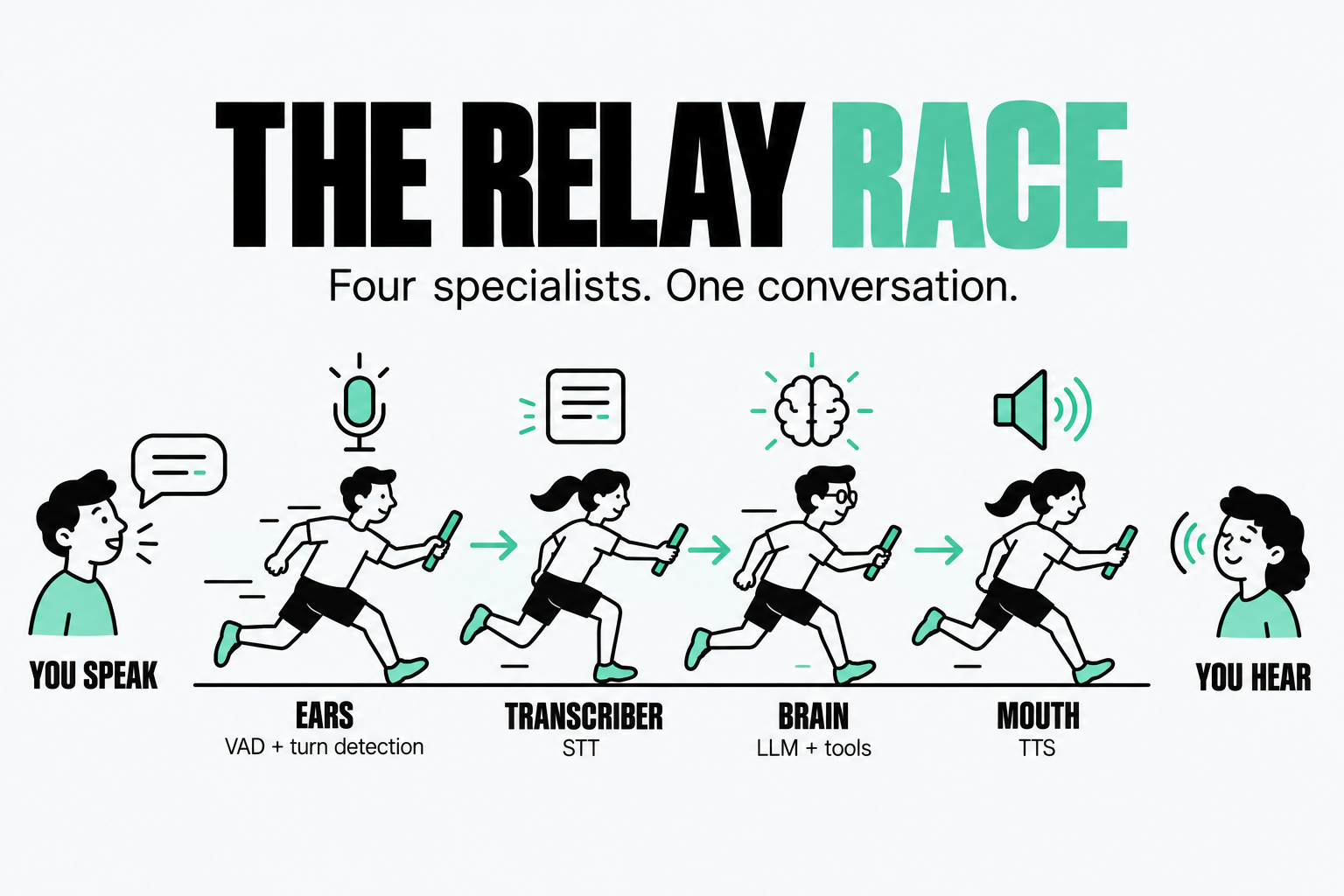
Think of it as a relay race. Instead of one system doing everything, several specialists pass the work along:
Ears: Detect when you speak and stop.
Transcriber: Turn your speech into text.
Brain: Understand your words and decide what to say.
Mouth: Turn the reply into speech.
Sounds simple, right? The hard part is getting all four to work together fast enough that the conversation feels natural, not like waiting in a queue.
Meet the Four Stages
1. The Ears: Voice Activity Detection (VAD)
First, the system needs to know when you are speaking and when you stop. That is the job of Voice Activity Detection (VAD). But a short pause does not always mean you're done talking. If you say, “My number is nine eight…..” and pause, the system needs to know you are still thinking. Getting this right is harder than it sounds.
I explored this in my blog on building a deep-learning-based VAD from scratch.
2. The Transcriber: Speech-to-Text (STT)
STT converts your speech into text. A good system works while you are still speaking, sending partial transcripts to the next stage instead of waiting until you have finished.
3. The Brain: The LLM
The LLM reads your words, understands the context, and decides how to respond. It can also use tools, like checking your calendar or looking up an order. The key metric is time to first token (TTFT): how quickly the model starts generating its reply. In a conversation, that first response matters more than you might think.
4. The Mouth: Text-to-Speech (TTS)
Finally, TTS turns the reply into speech. Streaming TTS can start speaking before the LLM has finished generating the entire response, making the conversation feel faster and more natural. The catch? These stages do not work in isolation. They need to work together efficiently, or even a smart voice agent will feel painfully slow.
Latency Is a Feature, Not a Detail
Most teams build the feature first and optimise speed later. For voice agents, that approach gets things backwards.
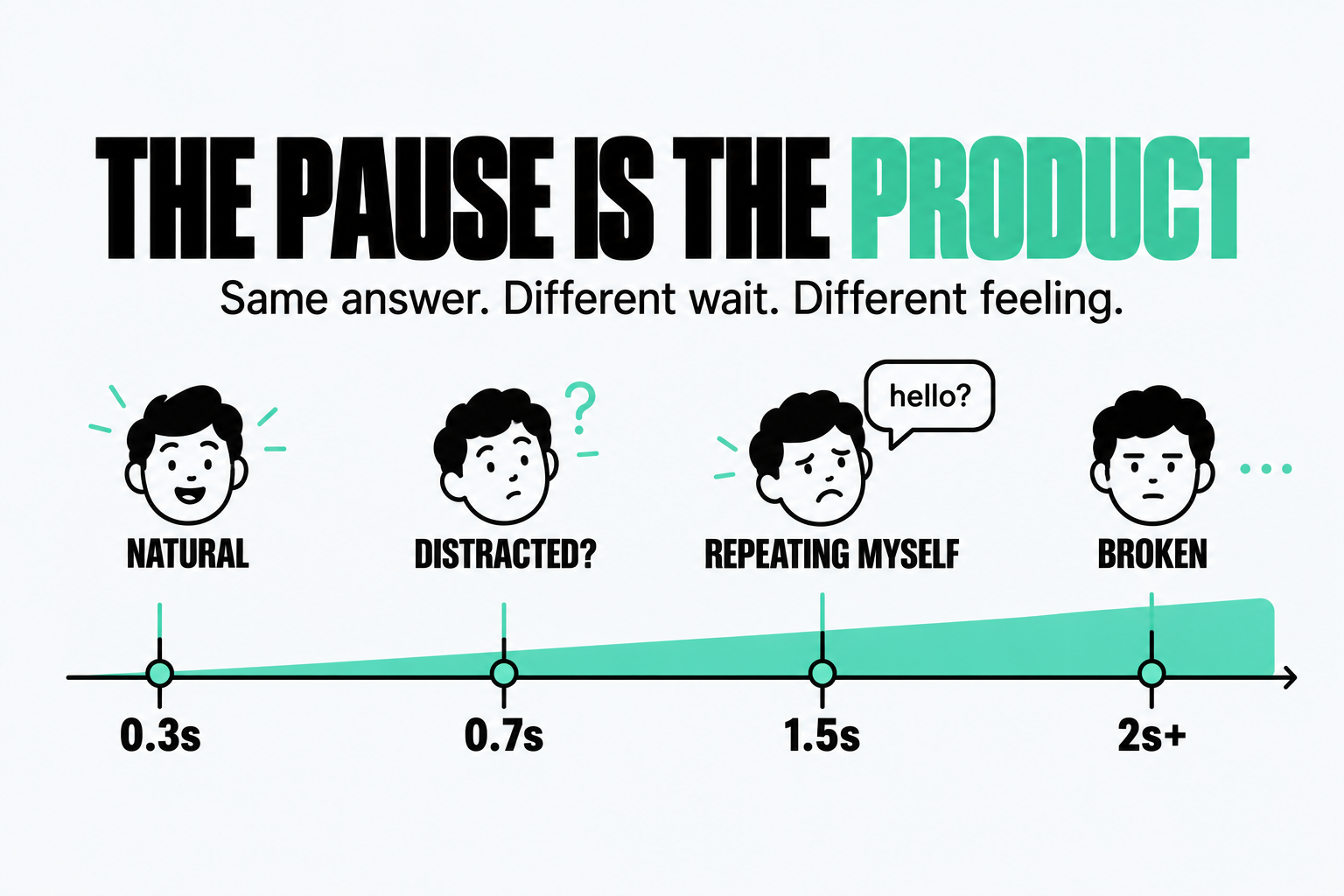
The same answer can feel intelligent or frustrating, depending on how quickly it arrives.
As a rough rule of thumb:
Response delay | User experience |
|---|---|
300–500 ms | Natural and conversational |
Under 1 second | Usually acceptable |
Around 1.5 seconds | Noticeably awkward |
2 seconds or more | Can feel broken |
These are not strict limits, but they highlight an important point: users experience latency before they experience intelligence. A smaller model that responds quickly can feel more capable than a powerful model that keeps them waiting. And not every delay comes from the model. Network conditions, server location, and telephony can add hundreds of milliseconds before your AI even gets a chance to respond.
That's why latency is not something you fix at the end. You design for real time interaction from the beginning, then choose the best model that fits within that budget.
Where Does the Time Actually Go?
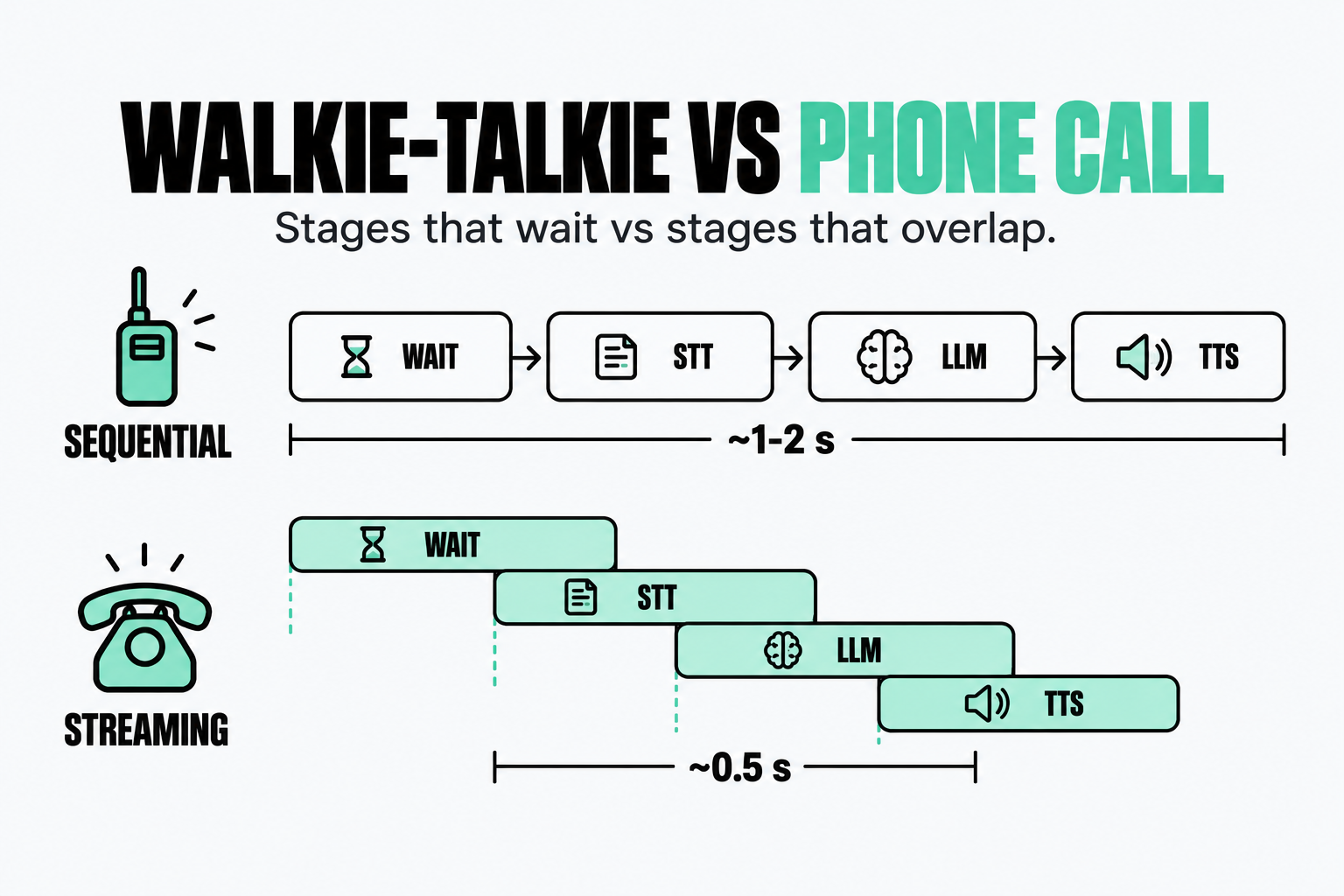
Imagine a voice agent where every stage waits for the previous one to finish. First, it waits for you to stop speaking. Then STT transcribes your sentence, the LLM generates a reply, and TTS turns it into audio.
Stage | Rough delay |
|---|---|
Detect that you are done speaking | 500 ms+ |
Transcribe the sentence | ~200 ms |
LLM starts generating | 300–800 ms |
TTS produces the first audio | 100–200 ms |
Total | 1–2 seconds or more |
That is like using a walkie-talkie: you speak, wait, and finally hear a response. The solution is not just making every stage faster. It is making them work in parallel through streaming. STT transcribes while you speak. The LLM generates its reply token by token. TTS starts speaking before the entire response is ready.
Instead of adding every stage's delay together, the system overlaps their work. With careful engineering, a first audible response in roughly 400–800 ms can be achievable, depending on the model, network, and turn-taking logic.
The real trick is not just speed. It's eliminating unnecessary waiting.
The Hidden Delay: Knowing When You're Done
One of the biggest sources of delay is not the LLM. It is figuring out when you have finished speaking.
The simplest approach is a silence timer. If you stop speaking for 500 ms, the agent assumes that you are done. But shorten that timer, and it may interrupt you. Lengthen it, and you are stuck waiting.
Think about the difference between “Yes…” and “Yes, my number is nine eight seven…” A pause doesn't always mean the same thing. That's where semantic turn detection comes in. Instead of only measuring silence, a model uses speech context to estimate whether you have finished your thought. Tools like Pipecat's Smart Turn, LiveKit's turn detector, and OpenAI's semantic VAD help handle this problem.
There is another trick called eager prefill: the agent starts preparing a reply before you are definitely done speaking. If you are finished, it saves time. If you continue, the agent discards that work. You get a faster response, but potentially more computation. Every millisecond saved has a trade-off. Building a good voice agent means deciding which delays to remove, which to tolerate, and when speed is worth the extra cost.
Interruptions: People Talk Over Each Other
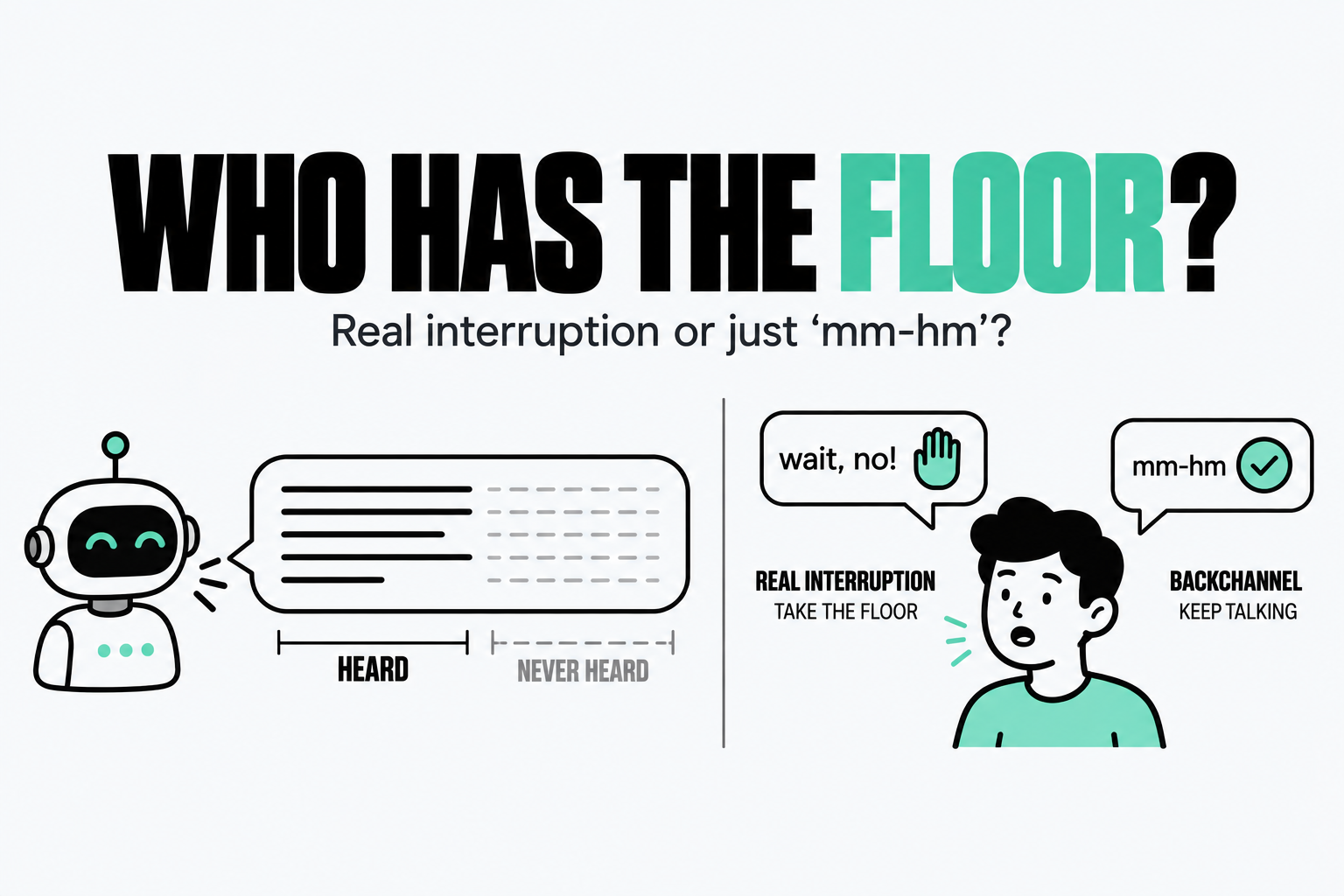
People interrupt. We say “yeah,” “wait, no,” or change our minds halfway through a sentence. A voice agent needs to handle this naturally.
When you speak while the agent is talking, it is called barge-in. The agent must stop playback, cancel ongoing generation, clear queued audio, and start listening again. Any delay makes it feel like the agent is not paying attention. But not every sound is an interruption. A quiet “mm-hm” might mean you are listening, while a cough or background noise means nothing at all. The system must distinguish between them.
There is another subtle problem: the agent must remember only what it actually said. Suppose it starts explaining something, but you interrupt halfway through. If its conversation history includes the words you never heard, it may wrongly assume you already know them. A natural voice agent does not just need to speak quickly. It needs to listen, adapt, and keep track of what actually happened.
What Goes Wrong in the Real World
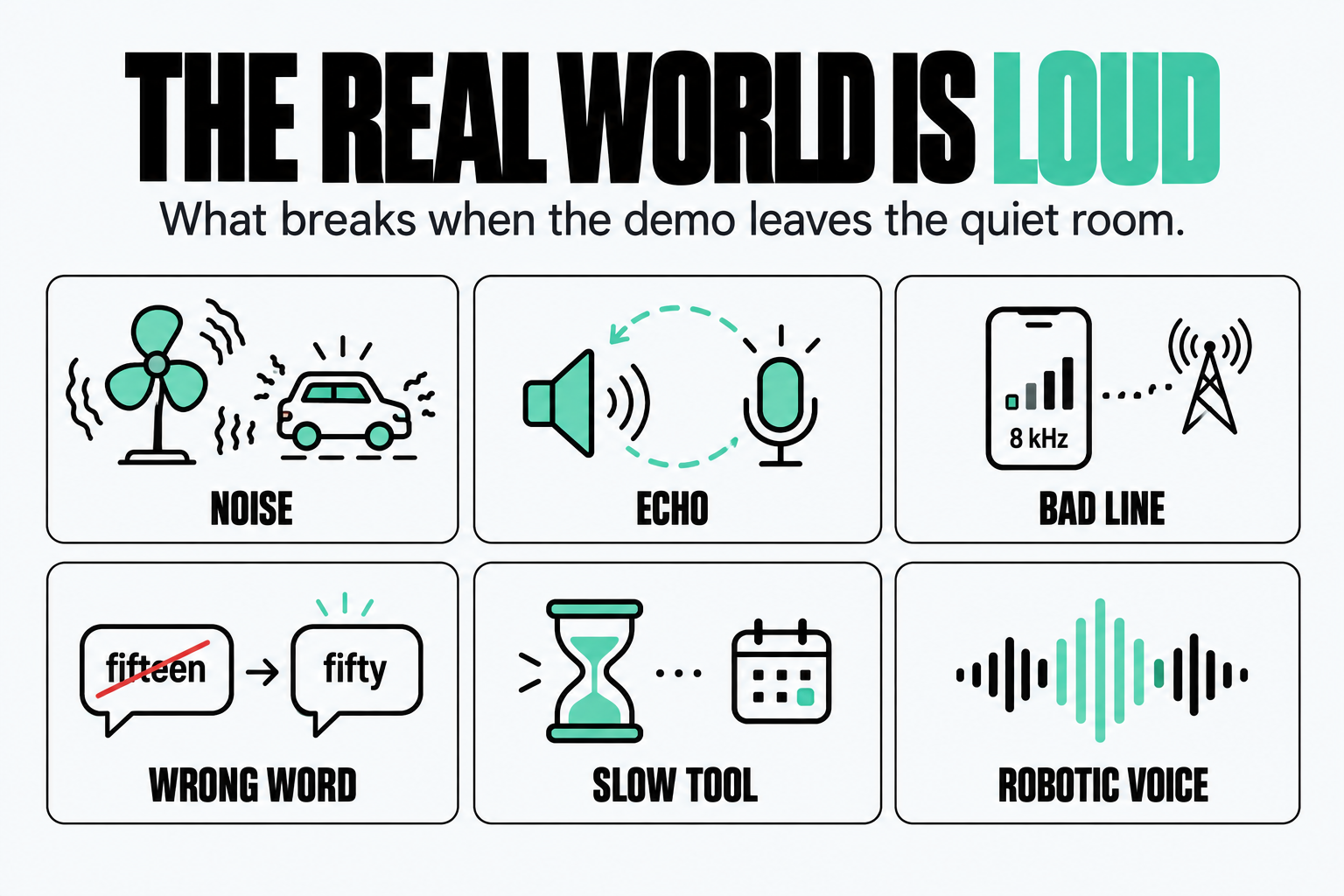
A voice agent might work perfectly in a quiet demo. Put it on a real phone call, and things get messy.
Noise and echo. Fans, traffic, and background conversations can confuse speech recognition. Speakerphones create another problem: the agent may hear its own voice and accidentally respond to itself.
Bad audio and wrong words. Phone calls often have lower audio quality than clean recordings. A transcriber might mistake “fifteen” for “fifty,” and the LLM could confidently act on the wrong information. Getting names, dates, and phone numbers right matters more than achieving a good average accuracy score.
Slow tools. Checking a calendar or database can add hundreds of milliseconds. A useful trick is to say, “Let me check that for you,” while the lookup runs, rather than leaving the caller in silence.
Robotic speech. Even a fast, accurate agent can feel unnatural if it speaks like it is reading a document. Voice responses need shorter sentences, natural wording, and numbers that sound right when spoken. Drive-thrus are a good example of how difficult real-world voice AI can be. Engines, wind, noisy speakers, and customers changing orders create a challenging environment. Some deployments have shown promise, while others have run into accuracy problems.
The lesson is simple: a voice agent must work outside the demo. Speed matters, but so do accuracy, noise handling, and the ability to recover when something goes wrong.
A Conversation, Millisecond by Millisecond
Imagine someone says, “Can you book me a dentist appointment tomorrow at four?”
Here is what happens behind the scenes:
While they speak: VAD detects speech, and streaming STT starts transcribing.
They finish: Turn detection decides whether the request is complete.
The LLM responds: It calls a calendar tool to check availability.
While the tool runs: The agent can say, “Sure, let me check that for you.”
The calendar responds: The agent offers the available slot and asks for confirmation.
The caller says yes: The agent handles the interruption and updates its conversation history.
The goal is simple: keep the conversation moving without making the user wait unnecessarily.
Cascade or Speech-to-Speech?
There are two main ways to build a voice agent.
A cascade architecture uses separate STT, LLM, and TTS components. A speech-to-speech model processes audio directly and generates spoken responses.
Feature | Cascade | Speech-to-speech |
|---|---|---|
Latency | Low with good streaming | Can be very low |
Emotion and tone | Some information is lost in transcription | Can preserve vocal cues |
Flexibility | Easy to swap components | More tightly coupled |
Debugging | Easier to inspect transcripts | Often harder to inspect |
Tools and RAG | Well-established workflows | Depends on the platform |
Cascades offer more control and visibility into each stage. Speech-to-speech can make conversations more natural by preserving information that text alone cannot capture. Neither approach automatically wins on speed. Actual latency depends on the model, streaming strategy, network, and tool usage.
The right architecture is the one that meets your latency, accuracy, and control requirements, not simply the one with the newest model.
What It Costs
Voice agents can be more expensive than their headline pricing suggests. You may pay separately for speech recognition, the LLM, text-to-speech, and telephony. Depending on the setup, estimates can reach $0.10–$0.20 per minute or more.
But the most useful metric is not cost per minute. It's cost per successfully completed task. A cheaper agent that repeatedly fails may cost more in the long run.
A Short Checklist
Before shipping a voice agent, make sure you:
Stream everything and allow each stage to be cancelled.
Choose a fast model based on time-to-first-token, not just benchmark scores.
Use semantic turn detection to reduce awkward pauses.
Keep infrastructure close together to minimise network delays.
Speak while tools run instead of leaving the caller in silence.
Handle interruptions properly, including tracking what the user actually heard.
Write for the ear, using natural, short sentences.
Measure p95 and p99 latency for each stage, not just averages.
Test with real-world conditions, including noise, accents, and poor phone audio.
The goal is not simply to build an agent that can talk. It is to build one that responds naturally, handles mistakes, and earns the user's trust.
Final Thoughts
A voice agent is more than the model powering it. It is the entire conversation: how quickly it responds, how naturally it speaks, and how gracefully it handles interruptions. A brilliant answer that arrives two seconds late can feel worse than a good answer that arrives at the right moment. Latency is not just a technical metric. Its part of the user experience. So, the next time a voice agent feels surprisingly natural, do not just ask how smart its model is. Ask yourself: How long did it make you wait?
Sources
Figures from vendor and engineering blogs are marked as claims in the text. The turn-taking research is peer reviewed. I could not find independent benchmarks for speech-to-speech latency or for phone-number errors.
Stivers et al. (2009), Universals and cultural variation in turn-taking in conversation, PNAS 106(26)
LiveKit, Voice agent architecture: STT, LLM, and TTS pipelines explained
Deepgram, Voice Agent Architecture: STT, LLM, and TTS Pipeline Guide
Daily, Announcing Smart Turn v3, with CPU inference in just 12ms
tianpan.co, Voice AI in Production: Engineering the 300ms Latency Budget
Coval, TTS latency benchmark
Kili Technology, ASR models guide: word error rate benchmarks and failure modes
The Drive, Clunky AI-voiced drive-thrus are already here and getting orders wrong
Speechify, Best Voice Agent Platforms 2026: compared on real all-in cost